Watched Review
An original tool that combines important functions
Watched review, news, tips, rating and more
Watched review, news, tips, rating and more
| Resolution (2/10) | |
| Functionality (3/10) | |
| Interface (10/10) | |
| Upgrades (8/10) | |
| Synchronization (6/10) |
There are many novelties and advances that occur in the world of technology. The development of programs, games and applications provides products of diverse quality. There are all kinds of tools with different functions. There are hundreds of young developers and teams working on projects that start independently and scale to huge successes. Original ideas are the ones that get the most followers and those in charge of developing the app that we will talk about in this article know it. We refer to the singular Watched.
Watched is an application that can be downloaded for free. It is available in the Apple virtual store and from the official site of the program it can be installed for Android, iOS, Windows, masOS and Linux. This variety and great quantity of possibilities to obtain the program demonstrates the open and little restrictive nature of the product. A feature that allows Watched to reach many users no matter what devices they use.
Downloading Watched for free will allow people to get hold of one of the less common tools on the market. The app combines the operation of two of the most used programs in one. It is a platform in which the features of a web browser converge with those of a multimedia player.
If you have questions and want to know how Watched works, we will tell you below. You have to think about those two programs that you use so much on your mobile or on your computer. On the one hand you have web browsers. The most common are Firefox, Google Chrome, Internet Explorer or Safari. With these programs, what you basically do is surf the internet, bookmark your favorite sites, organize addresses in folders, consult the history, perform searches, download files, browse incognito, and a variety of functions to make the experience on the web easier. safe, fast and accessible.
On the other hand we have the multimedia players. In these shows what we usually do is watch our favorite series, movies and videos. Among the most downloaded we have VLC, Quick Player, Soda Player or the native players that Apple or Microsoft bring. These tools bring functions to pause, play, forward or backward in the playback of all types of files. They also give us the chance to organize playlists and watch videos continuously.
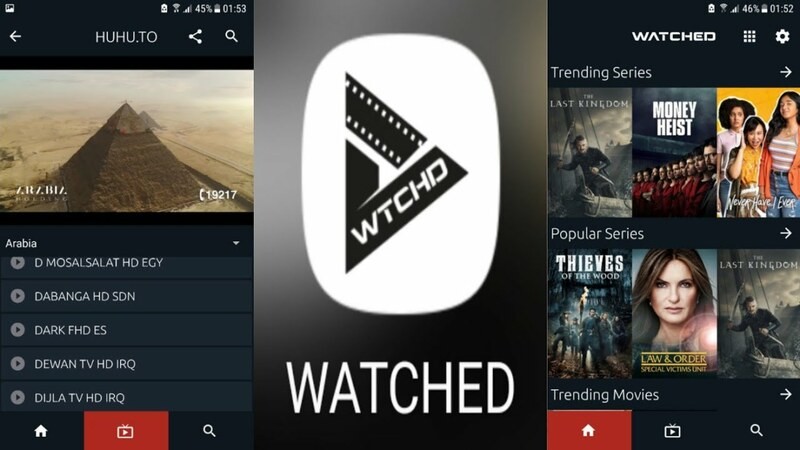
Now, installing Watched will give you access to an original tool that combines all these functions that we have described above but in a single program. You will be able to change between the functions of the web browser or the player very quickly and easily from the bar that you will find on the main screen. You can choose between one function or the other with just a click or a touch on the screen.
Another advantage of Watched is that, as it is an open source application, the add-ons that the user wishes can be added to make the experience more useful and effective.
Among the configurations that can be modified from the central panel of the program are the language, the main screen, direct access to updates if available, activate the television mode if we want to transmit on a home screen, roll back the values to the originals and activate developer mode.
As can also be seen in the options that Watched offers the user, it is an open, collaborative proposal that provides people with a wide variety of options to personalize and alter the operation of the program in the way they consider most appropriate.
If you are looking for an original and free tool, this is one of the best options on the market. Not only because it is very easy to use, but also because if you are an expert in web development or understand some elements of programming, you can modify it in the way that you like the most.
Using Watched will allow you to switch between the functions of a video file player with those of a web browser. Easily switch between one and the other and combine the benefits of both programs. A very interesting advance, from a young team applying a different logic to obtain a successful program as a result.