Review
Saving videos on your mobile to be able to watch it whenever you want and without having an internet connection can be a complicated task. Especially when we are talking about devices such as tablets and phones. In order to do this, you need to resort to certain tools that have made this task much easier.
Before doing so, you would have to install software on your computer, download the file you want from the url where it is hosted and now transfer this to your phone, all too cumbersome. Now there is a mobile application that comes to solve this problem and avoid all this process, it is Videoder.
Its developers ensure that you can download any video that is online from more than 1,000 different websites. Download Videoder for free, you find it available for Android in the Google Play Store virtual store or through its website, and you can also use it in its computer version for Windows and Mac.
It uses a system in which through several threads you can download the file in pieces and once all the parts are downloaded, they are merged to get a single one automatically. It is for this reason that you will not be able to have more than one video at the same time, you have to wait for one process to finish and start another.
One of the advantages of Videoder is the use of the intelligent tool by which it will automatically detect the links, so each time you add one, the app detects it and a new window pops up to download. Ideally, use the Videoder application to avoid wasting mobile data, since downloading heavier videos can take a long time and this will quickly consume them.
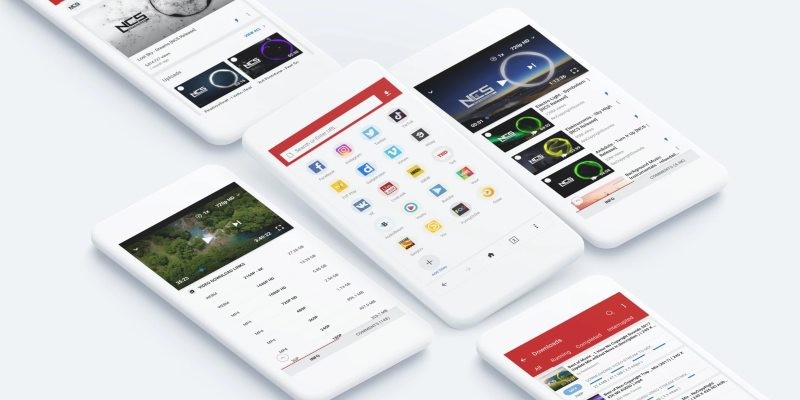
Both the web version and the mobile application share the same interface, so you can use one or the other independently and without any problem. Its way of using it is quite simple, you just have to paste the url that contains the video that we want to download and press the button that will appear.
You can use Videoder safely, since the application does not collect more information than the record of our activity to send it to its advertising platforms, ensuring that these are anonymous.
The user is the one who will decide the quality with which he wants to download each video, he has multiple options to choose from that depend on the specific video. The most used are high definition, mp4, FLV or 3GP.
It also has several functionalities that make it a very useful tool, for example it allows you to download complete YouTube playlists. It is one of the most popular with more than 40 million downloads just for this type and improving its properties more and more.
To start you will only have to install the application on your phone and start using it. The first time you open it, you will find its main screen where you will have all the tools you need. You have two ways to achieve it: the easiest and fastest way is by dragging the address where the list is and selecting all those you want, and the second way is on the page that appears with the url, select everything and download.
In one of their latest updates they have added the download of content in 4K, so it will allow you to have files at the highest possible quality and achieving a speed of up to 10 times faster. It does this by using multiple network connections which speeds up the download.
Apart from video you can also download audio files, so you will have the option of having both separately or merging them into one. No matter what type of content you are looking for, Videoder will download and store it on your mobile device.
Organize your entire library of audio files with its tag editor, with which you have the possibility of adding a cover or brand that allows you a new level of personalization of your downloaded documents.
Its search engine is very precise and intuitive, in which you will find everything you are looking for just by entering the criteria of what you want to find. The app will show you all the results that match and together with each one of them, the quality in which you find it available will appear. Download Videoder and get all your favorite videos.