Review
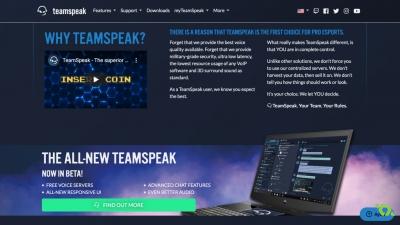
TeamSpeak is a chat application that uses Voice over Internet Protocol (VoIP) software that allows people to talk to each other from anywhere in the world, it works like a conference call. Since 2001 it has been revolutionizing the world of online communication. It is very popular among online players as it allows them to talk to each other and share the strategies of the game, since it has no usage limits.
With its multiple and updated versions, the increase in quality and the improvements it has undergone throughout its history is being noticed. The last one was the TS3, published in 2011, which has endless changes, such as the possibility of transferring files, the quality of the sound, and the possibility of creating personal channels temporarily that are automatically deleted when it is empty. of participants.
The first thing to do is download the latest version of TeamSpeak for free, which you find available in the Google Play Store and App Store, and install it on your mobile device. It is as simple as following the steps you are marking and having an Internet connection. It is not necessary to register in the application and once installed we will see that by default it already has a default configuration, but it is fully customizable, even adding the private server that you already have.
Once inside the TeamSpeak app, we will have to choose our nick or name with which they can find us, and connect with us, the rest of the platform's users. On the PC we will have the option of automatically activating the microphone, or choose Push-To-Talk mode, in case you are in a place with a lot of noise, with which you will assign a key that you must press every time you want to speak and thus save the trouble for the rest of the participants. In the mobile version you also have this option, it is activated when you are talking and it is turned off when there is silence, although the default way that comes is to press the microphone key to speak.
Its use is very easy, we choose one of the servers that the application offers you available, or among those that you have added in Bookmarks, select one of the channels that it has and start talking. You can only connect to servers that have version 3. The private ones will necessarily have to have a registered user and you can find them with a padlock or in yellow. By contrast, public servers do not have any kind of restriction, but if you are silent for a long time it will kick you out of the chat. On mobile, you can use commands from it without having to use the keyboard.
The ideal is to create your own channel, you already decide if you want it public or private, depending on the server you are connected to. Once you have created it or within a chat you have many interaction options. You can be silent, turn off the audio to not listen to the rest of the members or even change your status to standby.
When someone is talking, their icon will light up and so the rest of the members know who is the one with the open mic. The quality of their chats are the best on the market, there is no delay in the talks and reduces the background noise, making the messages come clear. It also has surround sound that makes chat users immersed in the game.
TeamSpeak ensures the privacy of your chat, you do not have access to any data of your participants or the conversations that are taking place. For added security, enable AES standard-based encryption for the entire server or for a specific channel.
One of the most commented news has been to be able to transfer any type of file from TeamSpeak, making the experience even better and not having to depend on other applications for it and even being able to send text messages to a specific person, or the entire team, and the rest do not know the content, superimposing this on the game that they will see on their screens.
TeamSpeak is not only a tool for gamers, it can be used as a meeting point for large groups where you can enter and exit as many times as you want.