MX Player Review

The best video player for mobile devices
MX Player review, news, tips, rating and more
MX Player review, news, tips, rating and more
| Resolution (7/10) | |
| Functionality (5/10) | |
| Interface (4/10) | |
| Upgrades (5/10) | |
| Synchronization (4/10) |
Viewing video files has become something of our daily life, with mobile devices and tablets the process has been made easier and it is no longer necessary to use equipment prepared for them. With this evolution, there are thousands of applications that help you ensure that these documents do not lose quality and you can enjoy them without any problem and now the definitive video player has arrived, MX Player, a perfect application that allows you to control and reproduce all kinds of formats.
Normally mobile phones have their own player natively in their operating system that is the ideal one with the characteristics of your device, although in many cases its use is very cumbersome and does not offer us many possibilities. To get much more performance you have other options, like MX Player.
Of South Korean origin, this free application was born as an alternative to the native Android player, accumulating more than 500 million downloads and trying to overcome all its limitations, offering its users an easy way to continue consuming videos regardless of format or quality.
Getting this app is very simple, you can download it for free through the main online stores Google Play Store and App Stores and you have it available for both Android and iOS devices, and it also takes up very little space compared to all the advantages it offers you if you use it, only 6.7 MB.
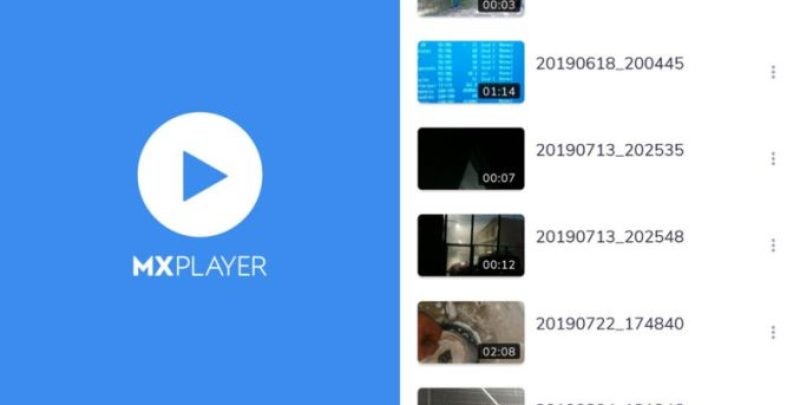
Although it does not have a very striking interface, that is the least, the important thing is everything it offers and without a doubt, in that it is the best you will find. The main advantage of MX Player in this sense is its functionality, it does not want you to get lost in a very long menu in which it is very difficult to find what you want, on the contrary, a list with all the videos you have will simply appear on the screen and its exact location. So that you can quickly identify it, you are shown a thumbnail with a frame of the video, it's that easy.
With the MX Player application you can search for other files on local networks, or even the Internet, and play them. To do so, you just have to click on its main menu and select Network Streaming. It will ask you to enter the address where it is located. As simple as that, it will automatically start playing, the fluidity with which it does it depends on the connection quality you have.
As for the quality with which the videos are seen, it is very good, keeping it with all compatible files, including those that are Full HD. Its modifications are carried out using hardware, which reduces data consumption. To see one you just have to click on it and it will appear on the screen, that simple. To control it, the usual controls that appear at the bottom are used, normally they are removed during playback so as not to obstruct the view, if you want them to reappear, you just have to press on the screen.
In these same controls, in addition to the ones that everyone knows, there are two icons that are different. On the one hand you will find a padlock, if you press this option you will block MX Player, to prevent you from accidentally hitting the screen and playback stops. The other button is represented by two squares and helps you adjust what you are seeing on your device, to switch it to different modes and access other settings quickly.
In the configuration settings we have the possibility to change various aspects, such as the Visualization, which allows configuring all the characteristics of how we want the videos to be viewed. We can choose between rotating the screen, changing the touch controls or the navigation options. Along with this section, Tools is also very important, because with it we can configure the way we are using MX Player in a more specific way.
All its success is due to these advantages that it offers compared to other alternatives that we find and it is its characteristics that have achieved the enormous growth it has experienced in its few years of life, finding a gap and not ceasing to update itself to maintain leadership.