Review
Created by the Microsoft company and pre-integrated in all its computer suites, Word is a computer program for word processing. Its latest version is Microsoft Word 2019 for Windows and Mac. Until now, it is the most popular in the world. It can be found independently and is included within the Microsoft Works package
Microsoft Word originally emerged for IBM in 1983 by Richard Brodie and Charles Simonyi, two Xerox programmers, by the name of Multi-Tool. Later versions were created until reaching Microsoft Windows in 1989. Previously these two developers had already released Xerox Bravo, considered the first word processor developed under the WYSIWYG technique, in which you could see on the screen the final format of what was writing, "What you see is what you get."
The first version, Word 1.0, was rudimentary and was followed by four other very similar versions that had almost no impact on sales for end users. The arrival of Microsoft Word to Windows allowed sales to increase significantly, although it took off in 1990 with 3.0.
Thus, successively, it has been updated over time, adding new improvements each time. Since the launch of Windows 2000 in 1999, it has gone hand in hand with its Word counterpart, to the most current version we have today. Currently, we can also download it for free for Android and iOs.
Microsoft Word has become a fundamental tool in the professional field, being one of the most used in work environments. With this application we can view, edit and create documents that will be saved on the devices we are using, in an endless number of formats, and share them with whoever they want without losing anything written.
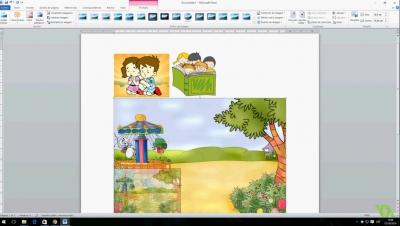
It is not only used to write texts, you can add images, graphics, excel tables and a long list of possibilities that will add value to the document we are creating. Another of its fundamental features is the spell checker, the user can see their mistakes in writing and syntax and ensure that none of them are missed when delivering a final work, although it is better not to rely solely on this tool since, it also has its margin of error.
The best thing about Microsoft Word is that it can interact with the rest of the tools in the Office Package and it is very easy to work with two of them at the same time, such as an excel table or the presentation program, PowertPoint. In addition, you have the option to customize all the buttons and the toolbar from the Preferences tab.
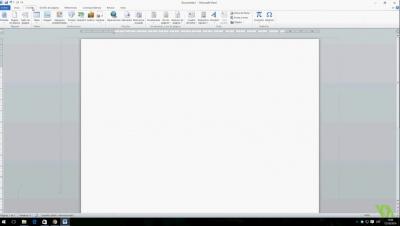
With all its changes, Microsoft Word has become very intuitive, with its use you can see how it has a lot of features that will help you get the job done easily, starting with its interface, regardless of the version being used, which is very similar in all.
Although in previous versions Microsoft Word only let you save files in DOC format, since 2007 it allows you to do it by default in DOCX, becoming the type format. This X stands for the XML standard, Open Office Extensible Markup Language. These documents are smaller and tend to be less damaged and can be read by any other processor such as Google Documents.
Microsoft Word allows you to bring out the creative side of users, with projects that previously required the use of graphic design programs. If starting from 0 seems very cumbersome, Microsoft Word offers a catalog of templates with which to achieve a technical finish without having any design knowledge. These templates are created by professional designers so you don't have to decide on things like: color, font used, format, etc. There is also the option of using a premium template, since all the elements are customizable, the only thing you would have to do is include the text and images that you want to appear. These are available for a small fee and are exclusive designs.
With all that Microsoft Word can offer us, it continues to be the most widely used word processor on the planet, creating documents that stand out from the rest and make them unique. What are you waiting to try everything it offers?