Review
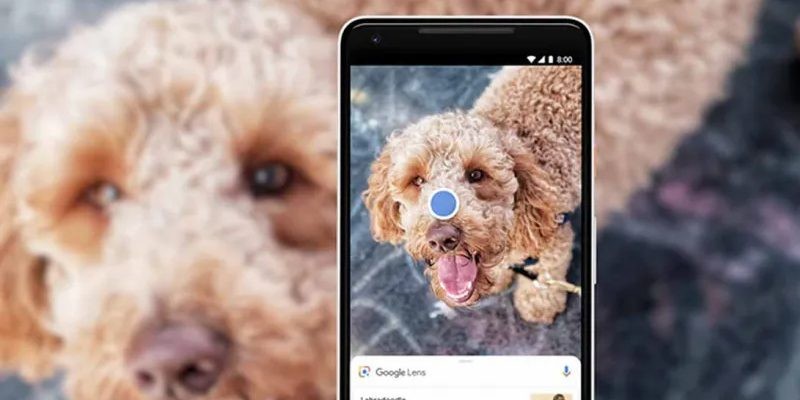
Object recognition has been a revolution, which is why new applications and tools are appearing every time that allow you to achieve it from your mobile phone. That has been the case with Google Lens, the official app of the company that was a before and after in the analysis and recognition of images in real time and for which you only need a phone camera.
You find it available for Android and iOS and you can download it for free through its main virtual stores, Google Play Store and App Store. Its main functionality is based on the use of the camera of the device in which you install it and use it to recognize the objects around you. To use it, it is as simple as placing an object in front of it and the application will automatically analyze it using its Machine Learning, basically what this service seeks is to give information to its users through your mobile.
With each object, or text, Google Lens will begin to analyze it and tell you what it is, offering the different options you have to use that thing. They are concrete and specific actions for each of them, they are not generic that it will propose for all the objects that you put in front of it, depending on what it is, the results will be different. Even offering more than one share.
One of the advantages of Google Lens is that it uses the other Google applications to function correctly, achieving much more precise results with this interaction, such as using the related image search engine or the translator when it comes to some text that you want to translate into real time. In addition, it is also integrated into others such as Google Assistant or Google Photos, which include a button that will directly take you to this application to analyze an image you are viewing.
To start using it is as easy as installing it on your mobile phone, you can automatically start using it. It has a main interface in which you find five buttons that are the only ones you will need to use it. The central one, shaped like a magnifying glass, is the main one and works automatically, it analyzes all the images and always tries to give you the best answers taking into account not only the object, but also the context.
Google Lens works in two ways. On the one hand, the normal one would be interacting with the things you point to with your camera and on the other hand using the photos from your reel, choosing the gallery option at the top of the screen. This serves to read and analyze images that you have already done before and you do not need to have the object in front of you just when you want to do the search.
On both sides you will find other buttons, which although they have the same function, will show you much more specific results that although with the generic it would help you, here it is much more precise. In the last one on the left you have all the options to manage and translate your notes, while the other two options on the right side are to manage online purchases and food-related products, adding functionalities such as translating menus and searches related to food that you're showing him.
One of its characteristics is that it allows you to manage the texts as you want, you can translate them in real time without having to write them down, just pointing at them. You can also search for single words by clicking on them and copy the original text and paste it wherever you want. Add events by pointing the camera at your calendar and even make calls or add contacts just by showing the phone number. Find out about everything you want, restaurants, animals, menus, etc., even search for products through it and looking for them on the Internet directly. All these are some of its many services that will not stop surprising you.
It has a large number of functions that will make your life a little easier, download Google Lens and dare to try an application in constant evolution. Every time you use it, you are teaching it something new to add to its database so do not be afraid to discover new options, for yourself or for the rest of the app users who did not know it.