Canva Review

Create your own designs with this image composition tool
Canva review, news, tips, rating and more
Canva review, news, tips, rating and more
| Resolution (10/10) | |
| Functionality (8/10) | |
| Interface (7/10) | |
| Upgrades (5/10) | |
| Synchronization (8/10) |
There is a tool that has become essential for those who work with graphic design, whether they are designers or not, and for all lovers of image compositions, and we are talking about Canva. The first thing to say is that it is not used for photo retouching, but rather to create documents with visual files that convey a message to whoever sees it.
Founded in 2012, in a short time it has become essential for professionals who work with designs every day, such as marketing, bloggers or small entrepreneurs, so its use has spread from leisure to professional and that shows in the quality of your images.
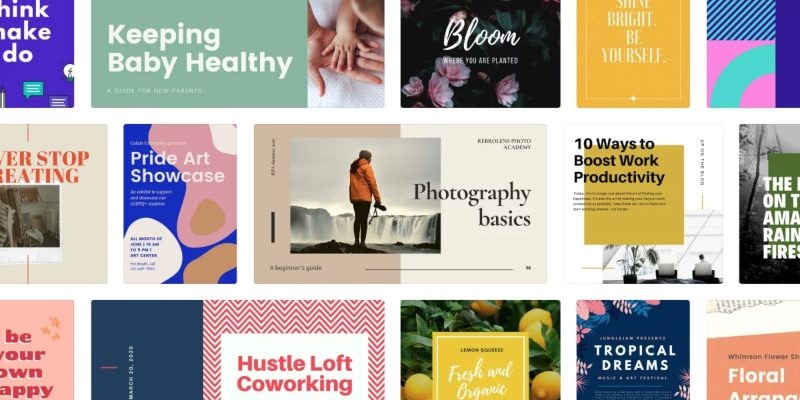
It offers a collection of 8000 totally free templates for more than 100 types of models for a myriad of purposes, but you also have the possibility of creating your own model and adding whatever you want.
Its website is well known that allows you to work online, saving all the files you create in its cloud, although it has a mobile app that fulfills the same functions and is very useful to be able to make these designs from your devices anywhere and moment. This application can be downloaded for free and you find it available for Android and iOS.
The main advantage of Canva is that you can create exclusive and attractive content for your audience without knowing anything about handling specific programs, you just have to choose a template and add the images you want to appear in it. With a very simple and clear interface, it seeks to make its use very easy for users who want to use it, both versions use the same, so it will be much faster to find what you are looking for.
To start using it, you will only have to install its application on your mobile device and register with your email or through a social network. Once you have selected it, it will indicate what use you want to give to your Canva profile, there are three options: personal, educational or work. Depending on what you decide, the menu you will find will be different, personalized to your needs.
Once inside, and after having done a quick tutorial of use, you will find that its menu is divided into different categories of the most common designs, such as post for social networks, covers, cards, flyer and a long etcetera. But if you cannot find what you are looking for in this default list, you can always choose Custom Design, which will indicate the measurements you want your document to have and thus you will create it from scratch.
To make your first model you will only have to click on Create a design. Canva has an extensive catalog of templates, all designed and adapted to different professional environments. For example, marketing document templates have a much more serious and sober aesthetic than those intended for a publication on social networks, which are full of color and very striking texts, so you only have to look inside each one of them. the list which is the one that best suits what you are looking for and choose from one of the options offered within that range.
Download Canva, it is a totally free application, but it has a paid version in which you will find many more graphic elements available, you can try it for free for 30 days. You will also find in its free version a series of elements, such as images, that in order to use it you will have to pay a price. But these do not prevent you from doing your work for free, its bank of images and graphic elements is so large that you will surely find another similar one at no cost.
Being such a visual platform, photographs are very important, that is why even though it is not a retouching app, with Canva you can edit and improve images in a basic way. You can straighten photos, add texts, effects or blurs.
Once you have your finished design, you have the option of downloading it to your device in different formats or even buying the print from the platform itself so that your model is physically sent to you, also offering a stationery service.
It is very flexible, you can do simple things or other more professional ones, but without a doubt there are plenty of reasons to include the Canva application in your list of communication tools. It will help you do your job faster and easier, which will make it one of your favorite apps.